

sanal mağaza
Randevu
etkinlikler
Pop-up

Ask in Aria
Pricing Plan Upgrade & Switch
Sunan:
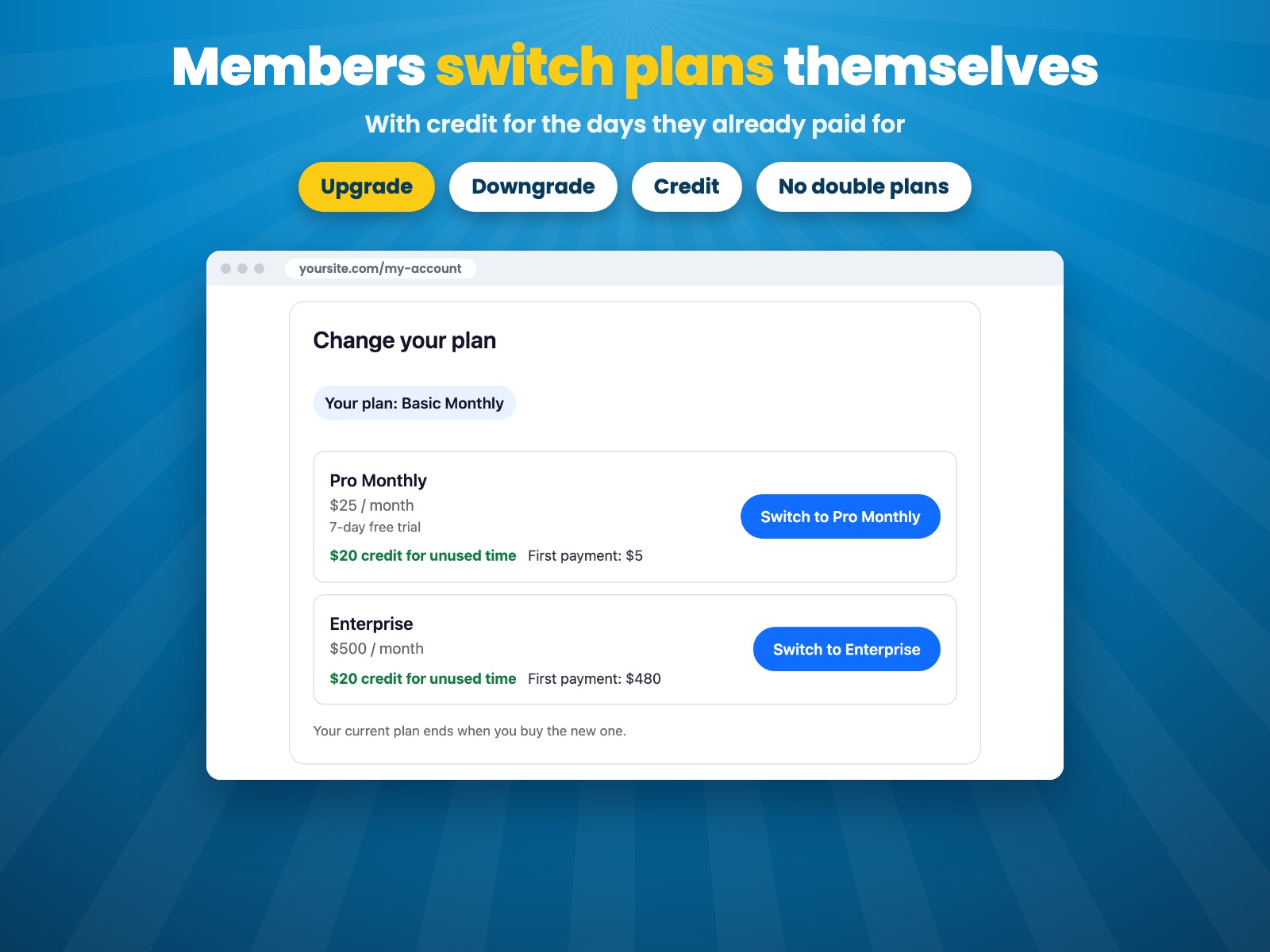
Members switch plans with credit for unused time
Henüz değerlendirme yok
7 gün ücretsiz deneme

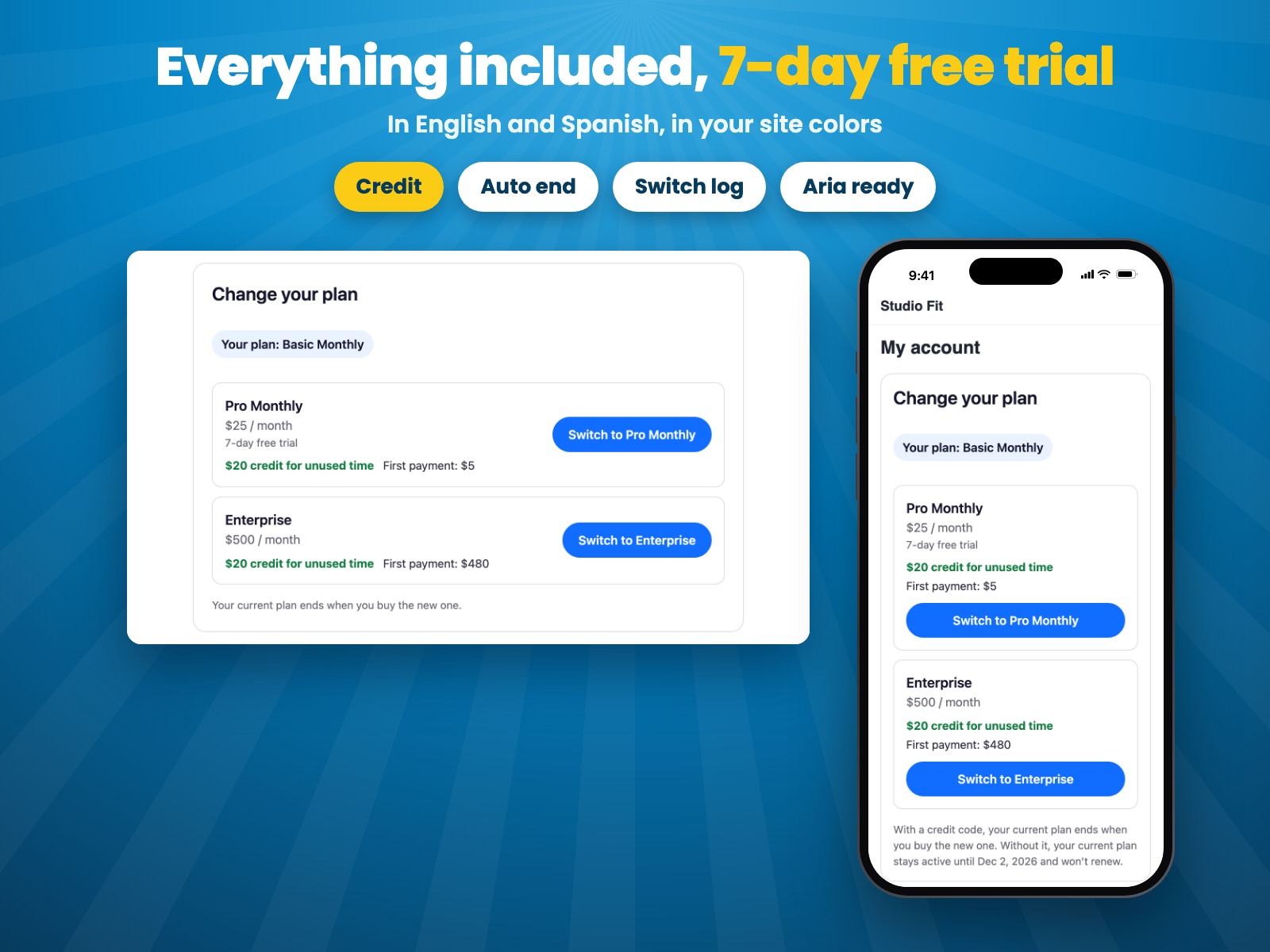
Pricing Plan Upgrade & Switch uygulamasına genel bakış
- Members upgrade or switch their pricing plan by themselves, any time
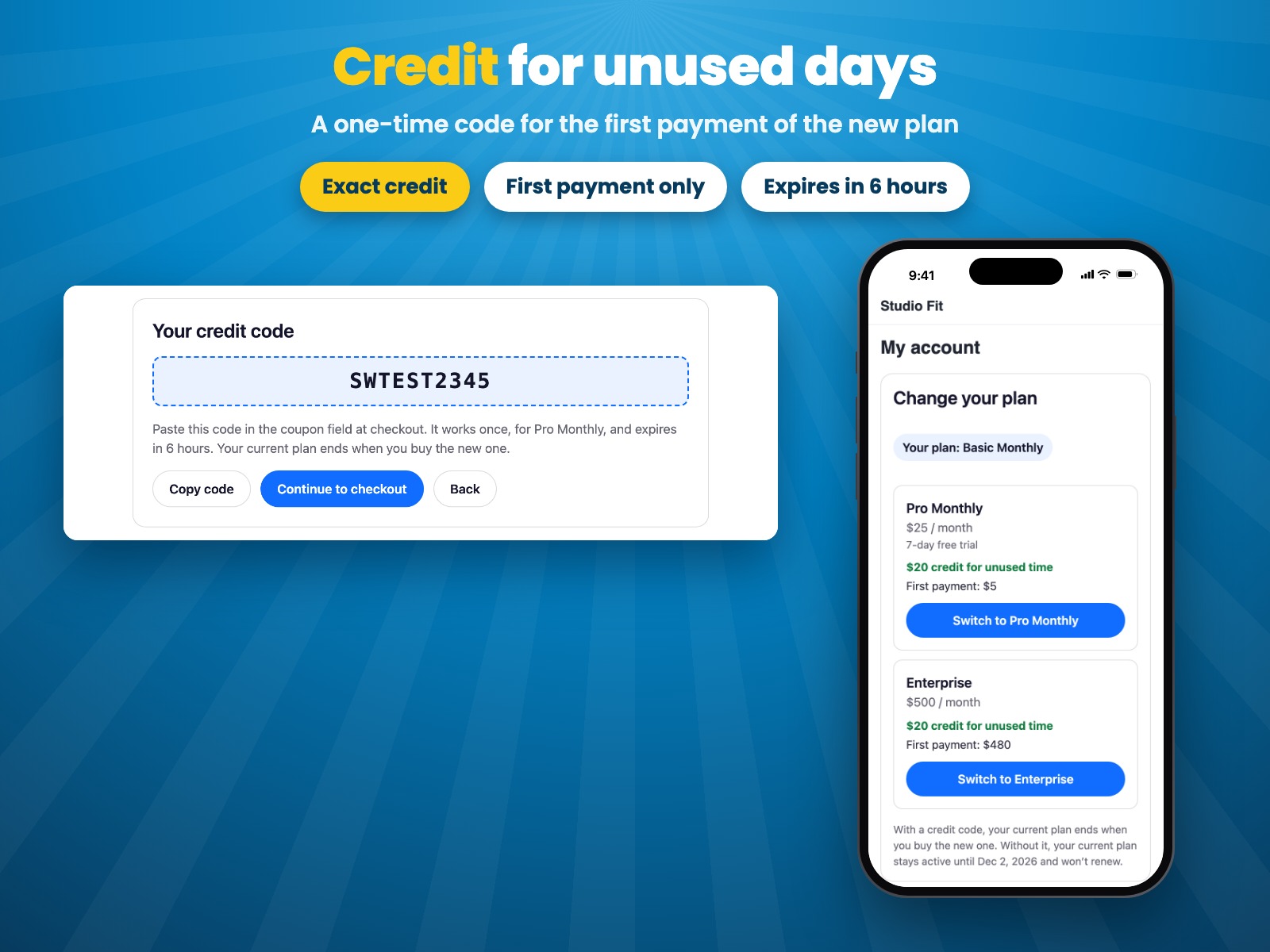
- Credit for unused days comes off the first payment of the new plan
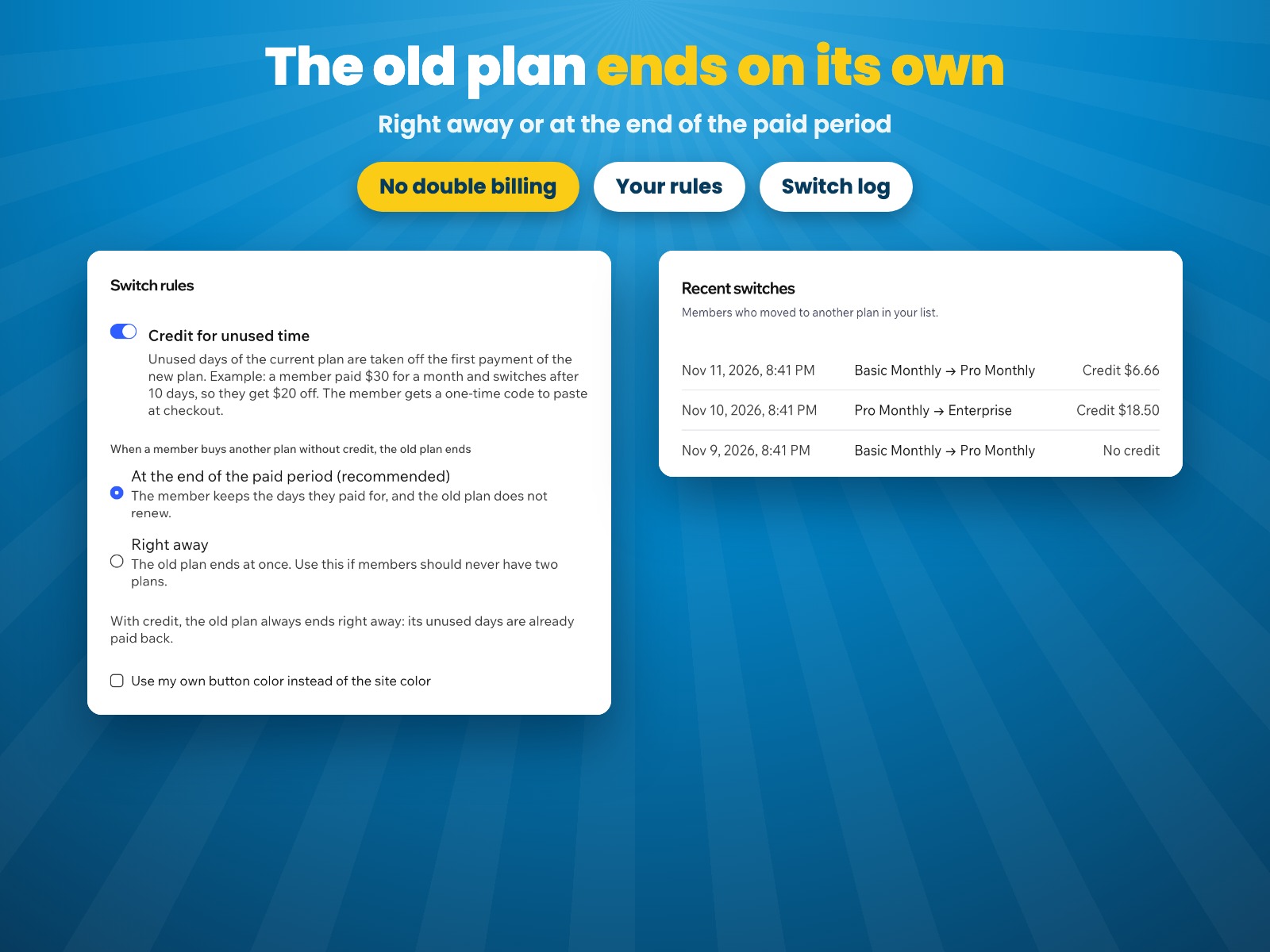
- The old plan ends on its own: no double subscriptions, no manual work
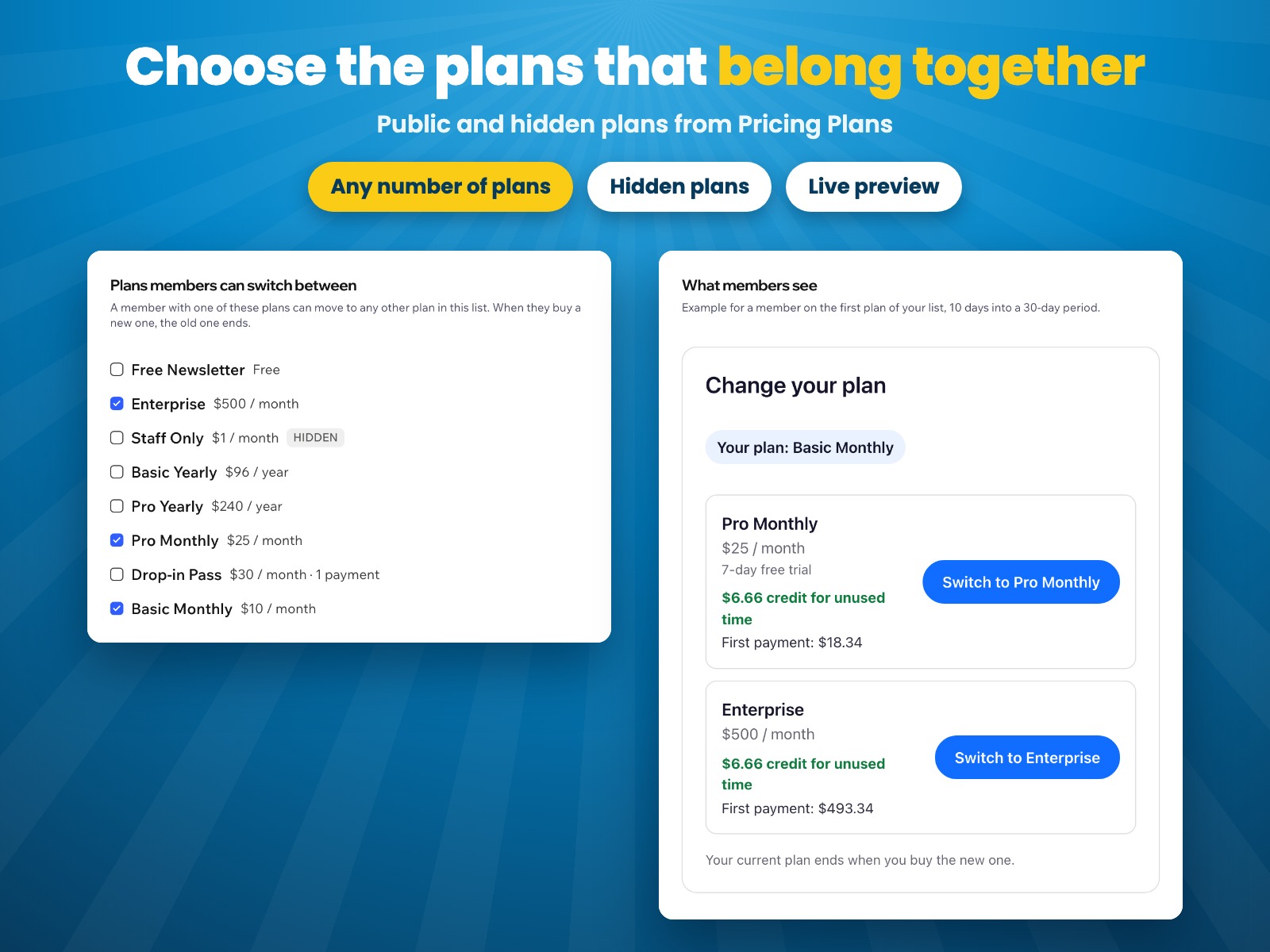
- Choose which plans members can switch between and see every switch
Değerlendirme ve yorumlar
Bu uygulama henüz değerlendirme almamış. İlk değerlendiren siz olun.Fiyatlandırma ve ücretli abonelikler
Bu uygulama 7 günlük ücretsiz deneme sunarPro Paketi
$
5
59
/ay
Members switch plans by themselves
Credit for unused time
Old plan ends automatically
Log of every plan switch
* Fiyat USD cinsindendir.